
Which PAX POS to Choose? Guide to Models and Compatible Stands for Your Business
15 - 09 - 2026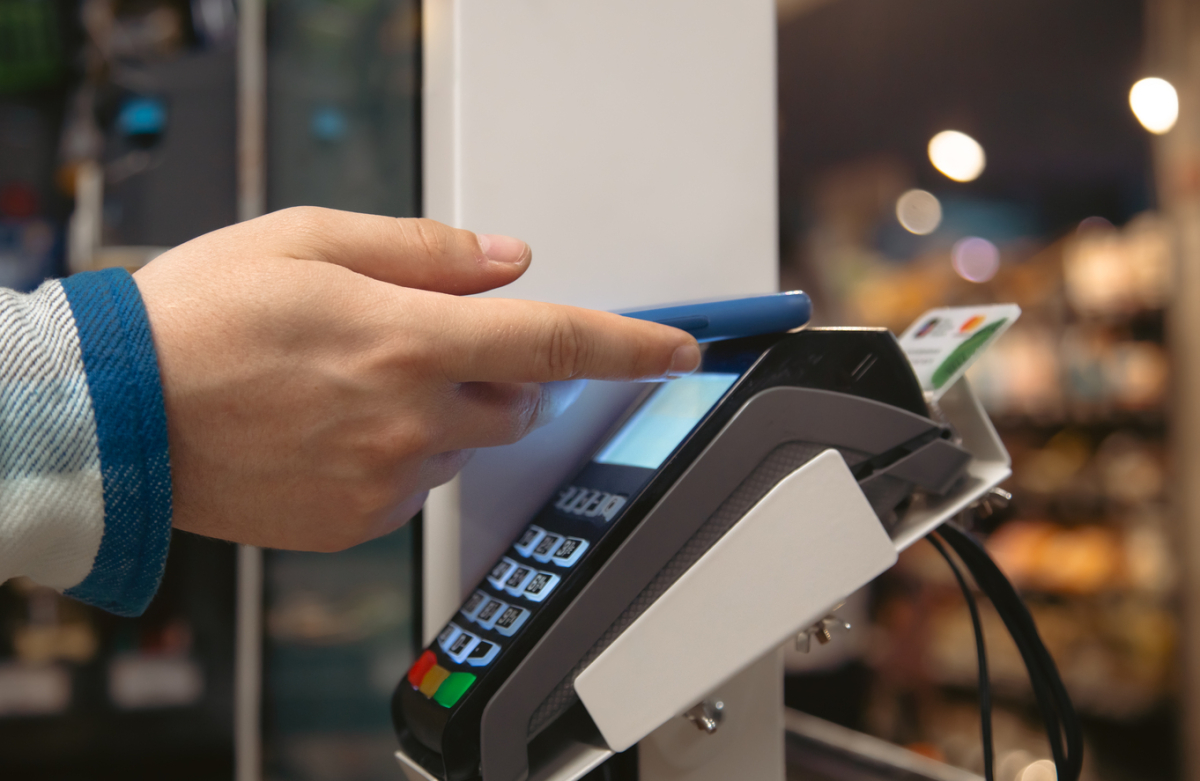
What is PAX Technology and why is it growing in Spain?
PAX Technology is a Chinese payment terminal manufacturer founded in 2000, with a presence in over 120 countries and more than 100 million terminals installed worldwide.
Its expansion in Spain has accelerated in recent years for several reasons:
- Competitive pricing compared to brands like Ingenico or Verifone.
- Android ecosystem in its SmartPOS models, which allows the installation of management apps in addition to payment processing.
- PCI PTS 6.x and EMV security certifications for contactless — the most up-to-date on the market.
- Banking support: major financial institutions already distribute PAX terminals among their business customers.
If your payment terminal has the PAX name on the screen or on the box, you are looking at a high-turnover terminal for points of sale with real demands.
Main PAX POS models in Spain
PAX has a wide range. These are the most widely used models in Spanish shops:
PAX A920 Pro — the best seller
The A920 Pro is PAX's flagship SmartPOS. It runs on Android and has a 5.5-inch touchscreen. It accepts any payment method: chip, magnetic stripe, contactless, Apple Pay, Google Pay and Samsung Pay.
- Connectivity: WiFi, 4G and Bluetooth
- 5,150 mAh battery — lasts long shifts without recharging
- Built-in thermal printer
- Weight: 390 g — comfortable for table or handheld use
It is the ideal model for restaurants with table-side payments, fashion retail and any business with medium-to-high transaction volumes.
PAX A35 — the countertop pin pad
The A35 is not a standalone terminal: it is a customer-facing pin pad designed to connect to an existing POS system. It integrates a touchscreen, camera and Ethernet power supply. PCI PTS 6 certified for maximum security at the PIN entry point.
It is the standard terminal at supermarket checkouts and large retail stores where the cashier works with their own equipment and the customer interacts with the terminal separately.
PAX A80 — classic countertop
The A80 is the simplest countertop model in the PAX range. No advanced touchscreen, no Android: it just does what it needs to do — process payments quickly and reliably. It is very common in neighbourhood shops that need a stable, no-fuss terminal.
PAX M8 — for premium retail and hospitality
The M8 stands out for its aluminium body and fully touch-enabled 8-inch screen. It incorporates cameras and scanners, and is designed for businesses where the image of the point of sale matters: fashion boutiques, restaurants with digital menus or high-volume hospitality establishments.
Which type of business is a PAX terminal best for?
PAX terminals are an especially good fit for these profiles:
- Supermarkets and food shops: the A35 as a checkout pin pad is one of the most widespread in the sector.
- Hospitality and catering: the A920 Pro, with its powerful battery and mobile connectivity, adapts to both bar and table-side payments.
- Fashion retail and large stores: the M8, with its 8" screen, offers a more visual and professional payment experience.
- Small businesses: the A80 is the most robust and affordable entry-level option.
A key advantage of PAX over other brands is that its SmartPOS models allow the installation of management applications directly on the terminal, without the need for an additional tablet or computer.
Why your PAX POS needs a professional stand
An unfixed PAX terminal on the counter is a risk that many shops do not appreciate until the problem occurs. An accidental knock, a cable tug or a customer pushing it can cause screen breakages that exceed €200 in repairs — not counting the days without being able to process payments.
A POS stand for a PAX terminal solves several problems at once:
- Protects the terminal from falls, tampering and opportunistic theft.
- Organises the cabling, preventing tugs on the charging or data port.
- Improves the ergonomics of the checkout area: the terminal is always at the correct angle for both the cashier and the customer.
- Projects a professional image of the establishment.
- Facilitates contactless payments: the customer approaches the terminal instead of the shop assistant having to hand it over.
In high-traffic environments — supermarkets, restaurants, hotels — a terminal without a stand lasts on average between 18 and 24 months before suffering significant damage. With a stand, that lifespan doubles.
Types of stands for PAX terminals
At Techpole Solutions we manufacture specific and custom stands for the main models in the PAX range.
Countertop stand for PAX
The countertop stand is the most common solution. It is fixed to the counter using four screws — covered afterwards with a trim cap — and keeps the terminal in a stable position with 330° rotation and 180° tilt. Available in heights of 120 mm and 200 mm. Made from powder-coated steel for intensive-use environments.
Compatible with the PAX A920 Pro, A80 and M8 models.
Wall-mounted stand for PAX
When the counter has no available space or the design of the establishment requires it, the wall-mounted stand frees up the entire work surface. The pole angle is 90° to the wall, and the terminal retains the same mobility as the countertop stand: full rotation and full tilt.
Widely used on narrow counters, in pharmacies, kiosks and hospitality establishments with long bars.
Universal POS stand — if you change models
Has your business changed banks or payment providers and the new terminal has different dimensions? The Techpole universal POS stand solves that without having to buy a new stand.
Its four adjustable guides adapt to any payment terminal with a width between 65 and 145 mm and a length between 166 and 202 mm — compatible with virtually all PAX models, but also with Ingenico, Verifone, Castles and others.
How to choose the right PAX stand for your business
Before ordering a stand, ask yourself these three questions:
1. Does the cashier or the customer process the payment?
If the customer enters the PIN on the same terminal the cashier uses, you need a stand with a good tilt angle and full rotation. If you have a separate pin pad (like the A35), the stand should be fixed on the customer's side, at a height accessible to everyone.
2. How much counter space do you have?
If space is limited, consider the wall-mounted stand. If you have available surface area, the countertop stand is easier to install and reposition.
3. Is your terminal fixed or portable?
The A920 Pro can be used handheld. If you use it that way for part of the day, consider a low-base stand that allows you to remove and replace it easily.
For businesses with multiple payment points or a more complex installation, we can design a customised solution.
Frequently asked questions about PAX POS terminals and stands
Is PAX compatible with all banks in Spain?
PAX terminals are compatible with the main banking acquirers in Spain. However, exact compatibility depends on the bank's agreement with PAX Iberia. Before purchasing a PAX terminal independently, check with your bank whether they work with this manufacturer or distribute them directly.
Which stand is recommended for the PAX A920 Pro?
The PAX A920 Pro, given its dimensions and weight (390 g), fits perfectly in the standard Techpole countertop stand with a 120 mm pole. If payments are mostly processed at the table, the 200 mm stand provides greater visibility for the customer.
Can a universal stand be used with PAX terminals?
Yes. The Techpole universal POS stand is compatible with the main PAX models. Its adjustable guides adapt to the terminal's dimensions without the need for any additional adapter. It is the most recommended option if your terminal fleet is mixed or if you anticipate model changes in the future.
Is PAX better than Ingenico or Verifone?
It depends on the use case. Ingenico has a massive presence in Spain and very well-established banking support. Verifone stands out in large-format retail. PAX stands out for its competitive pricing, its SmartPOS range with Android and its latest-generation PCI certifications.
Are Techpole PAX stands easy to install?
Installation is done using four screws that anchor to the counter or wall, depending on the model chosen. The screws are covered with an included trim cap. In most cases, a non-specialist technician can install it in under 30 minutes with a standard screwdriver.


