
How to choose a POS Stand according to your business type
26 - 05 - 2026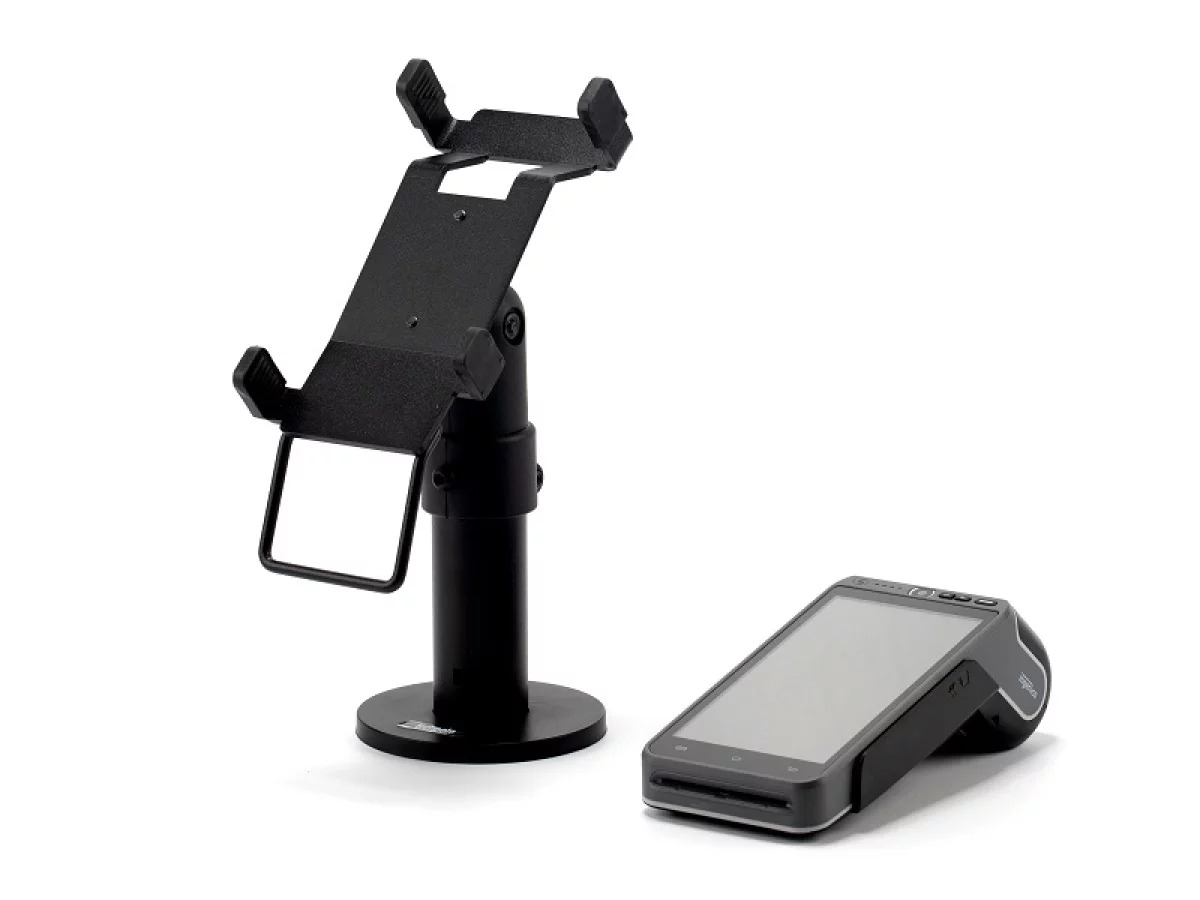
The point of sale is the moment when the customer has already decided to buy. What happens in those few seconds — the speed of payment, the comfort of the interaction, the appearance of the counter — influences whether that customer comes back or not.
A poorly chosen Payment Terminal stand is not just an aesthetic issue. It creates operational friction that repeats dozens or hundreds of times a day: the payment terminal that needs repositioning, the tablet that rotates on its own, the cable that gets in the way. Small problems that, when added together, have a real cost in time and brand perception.
This guide helps you make the right decision from the start.
What Is a POS Stand and What Role Does It Play in Your Operation?
A POS stand is the system that keeps your point-of-sale devices fixed and stable: the tablet with the checkout software, the payment terminal, or both integrated into a single structure.
Its role in a business environment goes far beyond simply holding hardware:
- Standardizes the checkout area between shifts and employees, eliminating variations in device positioning
- Reduces transaction time by keeping the payment terminal at the correct angle for the customer
- Protects the device from falls, movement, and unauthorized handling
- Organizes counter space, freeing up room for what really matters
- Reinforces the professional image of the business at the customer’s moment of highest attention
A well-configured point of sale is not a detail — it is part of the operation.
Types of POS Stands and When to Use Each One
There is no universal stand suitable for every business. The right choice depends on your counter type, transaction volume, and how customers interact with the device during payment.
Fixed Countertop Stand
The most common option in retail, pharmacies, and any business with a permanent counter. It is attached to the surface with screws or a weighted base and keeps the device stable throughout the day.
When to choose it: fixed checkout points, intensive use, multiple employees working in shifts.
Articulated Stand with Rotating Arm
Allows the device to rotate 180° toward the customer so they can sign, enter their PIN, or review the amount. It eliminates the need to pass the terminal over the counter, which slows down transactions and can lead to errors.
When to choose it: optical stores, jewelry stores, clinics, fashion stores — any business where customers interact directly with the screen during checkout.
Wall-Mounted Stand
Completely frees up counter space. Ideal when horizontal space is limited or when several devices and elements share the same workstation.
When to choose it: bars, cafés, and restaurants with narrow counters, or information points with very limited space.
Combined Tablet + Payment Terminal Stand
Integrates the tablet with POS software and the payment terminal into a single structure. It reduces the number of elements on the counter and ensures the setup is always the same, regardless of the employee operating the checkout.
When to choose it: businesses looking to standardize the point of sale, especially chains and franchises with multiple locations.
Five Criteria That Define the Right Choice
Exact compatibility with your device: Each tablet and payment terminal model has specific dimensions. Before making any purchase, verify compatibility with the exact model you use. If you have different models across multiple locations, a universal POS stand with adjustable grips simplifies management and maintenance.
Counter mounting system: The mounting method should match your counter material — wood, glass, stone, steel — and the conditions of the premises. In rented spaces or locations with installation restrictions, weighted-base stands offer the most flexibility. For permanent high-traffic installations, screw-mounted systems provide greater stability and security.
Cable management: Visible cables are both an image problem and an operational risk. A stand with integrated cable routing keeps the setup clean, reduces the risk of accidental pulling, and removes one of the elements that most quickly makes a checkout area look outdated.
Locking system: Essential for businesses with high staff turnover, customer access to the counter, or multiple checkout employees. A payment terminal stand with a locking mechanism ensures the device stays in place and cannot be removed without authorization, reducing the risk of theft and incorrect configurations.
Scalability and repeatability: If you manage multiple points of sale or plan to grow, choose a stand that can be easily replicated in new installations. Consistency in POS equipment simplifies staff training, standardizes the customer experience, and makes technical support easier across locations.
Which POS Stand Does Each Industry Need?
POS Stands for Retail and Stores
The volume of transactions during peak hours means every second counts. An articulated stand reduces average checkout time and improves queue flow. For chains with multiple locations, standardizing the point of sale is also a branding decision.
POS Stands for Hospitality and Restaurants
The counter area often concentrates many elements at once. Choosing the right payment terminal stand can make the difference between an efficient workspace and a cluttered one. In this sector, wall-mounted stands are often the most efficient solution.
Payment Terminal Stands for Pharmacies and Parapharmacies
Pharmacy counters combine dispensing, consultation, and payment within the same space. A well-chosen fixed or wall-mounted stand organizes that space and reduces errors during busy periods without interfering with the rest of the operation.
Payment Terminal Stands for Franchises and Chains
Standardizing the point of sale is part of brand identity. An identical stand in every location guarantees the same customer experience in every store and simplifies centralized equipment management.
POS Stands for Clinics, Optical Stores, and Beauty Centers
These are environments where customer experience is a priority from the first to the last interaction. A tidy and well-configured checkout point reinforces the perception of professionalism precisely at the moment when customer attention is highest.


