
Anti-theft tablet stand: what it is, types, and the sectors where it is used
26 - 05 - 2026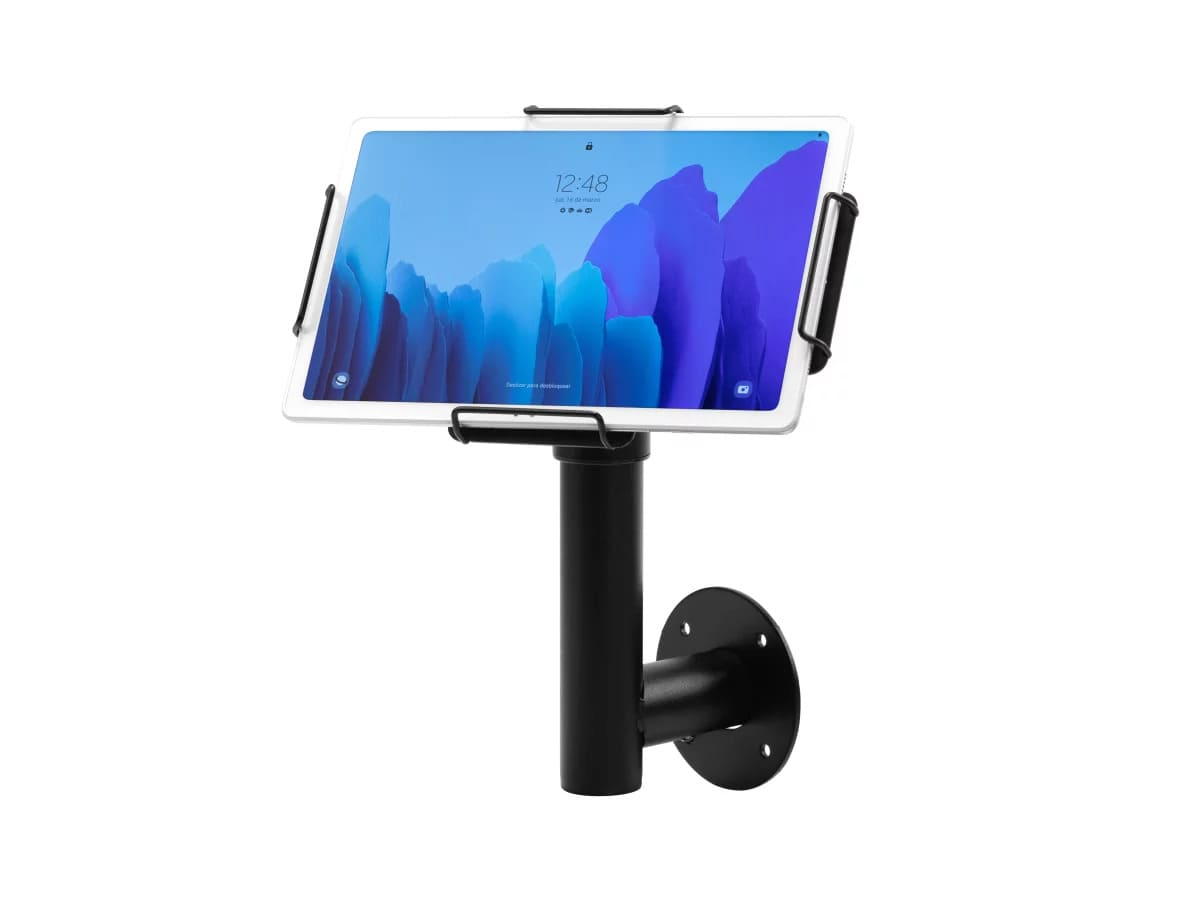
If you manage spaces where tablets are constantly used by customers, employees, or visitors, you probably already know how expensive it can be to replace a stolen or damaged device.
An anti-theft tablet stand is the most direct solution to prevent this — and in this article we explain exactly what it is, what advantages it offers, and in which sectors it makes the most sense to implement it.
What is an anti-theft tablet stand?
An anti-theft tablet stand is a physical mounting system designed to secure a tablet to a surface — counter, wall, column, or floor — so that the device cannot be removed without a specific key or tool.
Unlike a conventional stand, an anti-theft tablet holder includes locking mechanisms that prevent theft or unauthorized handling of the device. This makes it especially useful in public or semi-public environments, where the tablet is exposed to a constant flow of unknown people.
A tablet security stand can come in different formats: key lock systems, security screws, full enclosure cases, or a combination of several systems. In all cases, the goal is the same: ensuring the device stays exactly where it should, without risk of theft.
Benefits of using an anti-theft tablet stand
Implementing an anti-theft tablet stand in your business or facility provides advantages that go beyond simple physical protection:
- Reduces the risk of theft in environments with high public traffic, where devices may be left unattended for short periods.
- Protects your hardware investment, especially in businesses using mid-to-high-end tablets or devices configured for specific purposes.
- Prevents unauthorized tampering: the stand stops anyone from disconnecting cables, changing the orientation, or accessing parts of the device without permission.
- Improves the professional appearance of the installation point: a properly secured and presented device conveys organization, professionalism, and control.
- Facilitates controlled maintenance: only authorized staff can remove the device for updates or repairs.
- Compatible with multiple models: tablet security stands are available in versions specifically designed for iPad, Samsung Galaxy, Lenovo, and also in adjustable universal formats.
Sectors where anti-theft tablet stands are essential
Retail and stores
In shops, anti-theft tablet stands are used as product information terminals, interactive catalogs, or payment points. Since they are exposed to the public throughout business hours, they require physical protection that discourages theft attempts.
Hospitality and restaurants
Restaurants, bars, and hotels use tablets to manage reservations, display digital menus, or serve as table ordering terminals. A tablet security stand ensures the device remains available at the beginning of every shift, without unpleasant surprises.
Healthcare and medical centers
In hospital receptions, clinics, or healthcare centers, tablets are used for patient check-ins, document signing, or information access. In these environments, device security also means protecting sensitive patient data.
Education
Schools, universities, and training centers use tablets in classrooms, libraries, and shared spaces. An anti-theft tablet stand helps prevent losses in environments with many different users and constant student turnover.
Exhibitions, museums, and events
In exhibition spaces, tablets act as interactive guides, registration forms, or information points. Since there is usually no permanent supervision next to each device, a tablet security stand becomes the only real barrier against theft.
Offices and corporate spaces
In corporate environments, anti-theft tablet stands are used in meeting rooms, reception areas, or access control points. Although the risk of theft may be lower, securing the device prevents it from being moved or disappearing between departments.
How to choose the right anti-theft tablet stand
When selecting an anti-theft tablet stand, consider the following factors:
- Tablet model: if you use an iPad, Samsung Galaxy, or Lenovo tablet, choose a stand specifically designed for that model. If you work with different models, an adjustable universal stand is the most flexible option.
- Installation type: evaluate whether you need mounting on a counter, wall, or floor, and whether the usage point is fixed or may change.
- Required security level: in high-risk environments, choose stands with key locks and security screws. In more controlled spaces, a standard locking system may be sufficient.
- Device orientation: some stands allow the tablet to rotate between horizontal and vertical positions, which is useful if the device serves multiple purposes.
An anti-theft tablet stand is not an optional accessory — it is a management decision. Protecting the device means protecting your investment, ensuring service continuity, and in many cases safeguarding the data handled by the device.
If your business operates in a public-access environment, with customer traffic or shared facilities, implementing a tablet security stand is the simplest and most cost-effective measure to prevent losses.


